Getting Started
Theme Installing Requirements
Thank you for purchasing Coran - Business Agency WordPress Theme This documentation file covers all the information needed to install and use this theme. So before you get started, please check out these documentation files carefully.
If you will not understand anything in the documentation and about installing theme, please contact directly from our themeforest account. Our support team always read to help you quickly.
Please don't forget to give 5 stars rating and leave a nice review to Coran.
Installing the theme
In order to install the theme you need to have a WordPress copy already installed on your own server.
Below are some useful links for WordPress information:
- WordPress Codex - general information about WordPress and how to install it on your server
- First Steps With WordPress - general information that covers a wide variety of topics
- FAQ New To WordPress - the most popular FAQ's regarding WordPress
Install the theme from WordPress or FTP
NOTE: Once you have downloaded the theme package from ThemeForest you must unzip it and upload only the inner zip file named coran.zip.
Step by step instructions:
- Login to your WordPress site's administration area
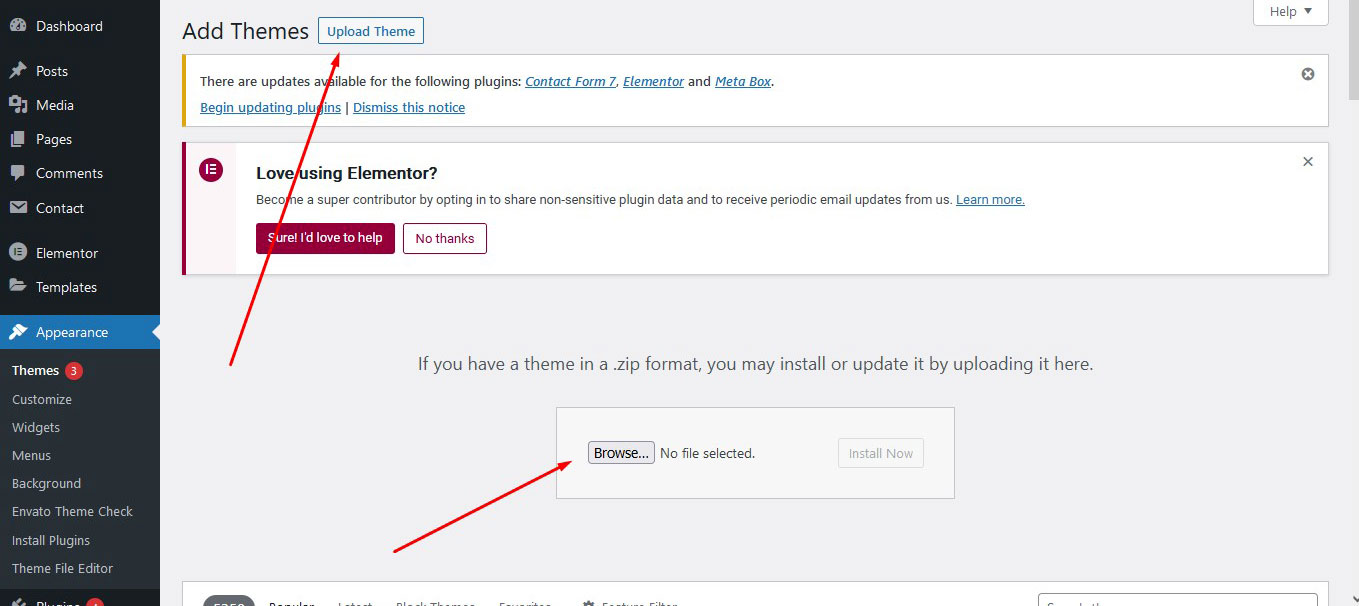
- Navigate to Appearance > Themes > Add New > Upload theme
- Click on the "Add New" button, then click on the "Upload Theme" button and also check below image
- Upload the theme zip file named coran.zip
- Click "Activate"
If this method fails we recommend uploading the theme via FTP. Open your FTP client, move to your WordPress installation path /wp-content/themes and upload the unziped coran folder.
After the upload is complete navigate to Appearance > Themes and activate the theme.
Install theme required plugins
After the theme is installed a message box will appear requesting you to install 06 required plugins:
- Elementor Page Builder
- Tentaz Core Elements Plugin
- Redux Framework
- Contact Form 7 - available for download with WordPress plugin repository
- Mailchip For WP
- Breadcrumb NavXT
- WordPress One Click Importer - plugin used for importing theme demo data
These plugins must be installed for the theme to work properly.
Importing demo content
The fastest way to import our demo content is to use the Demo Content Importer. The Demo Content Importer provides you with all of Coran's pages and posts, widgets, theme options, assigned pages, and more. Using this import feature is recommended for fresh installs. The automatic import will NOT replace existing content however. We always recommend running it on a fresh WordPress installation.
- Make sure you have all the required plugins installed and activated.
- Navigate to Appearance > Import Demo Data .
- Then Click to Import Demo Data
- Wait until the import routine is done. Please be patient and don't navigate away, as this can take few minutes depending on your host's performance.
- You will be notified once the importing process is completed.
3rd Party Plugin Instal Here
If you need any third party plugin install in theme you should follow below steps:
- Login to your WordPress site's administration area
- Navigate to Plugins > Add New > Upload Plugins and check below image
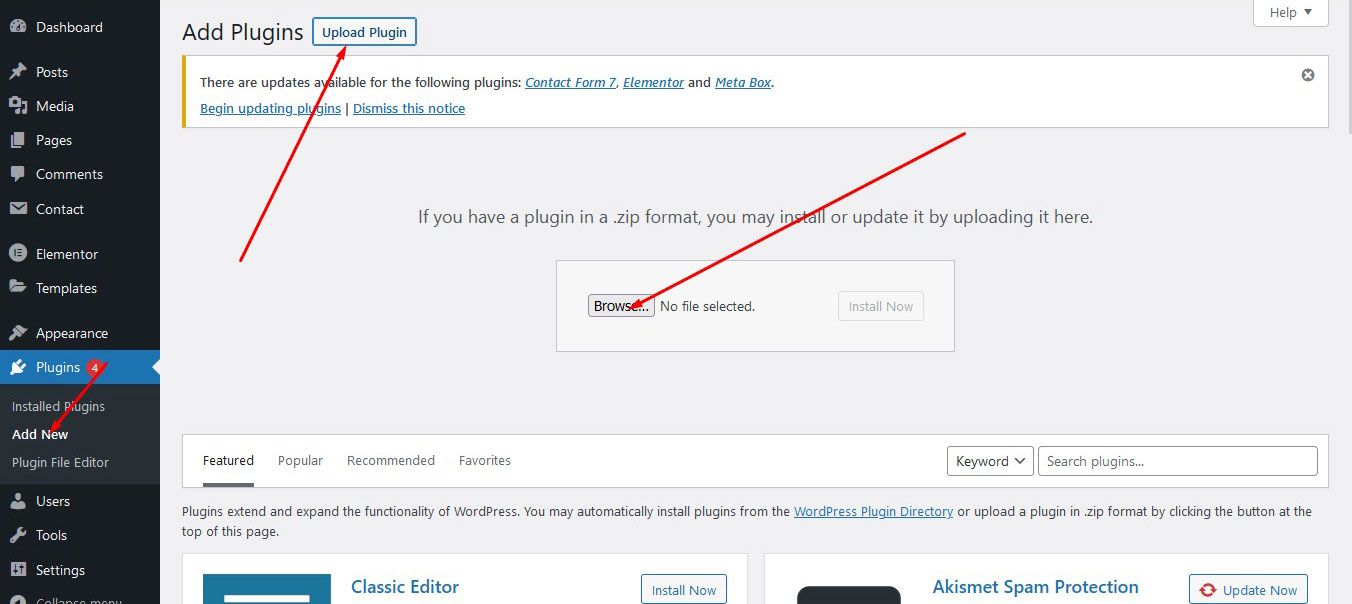
- This way you can add plugins when your need
Creating pages here
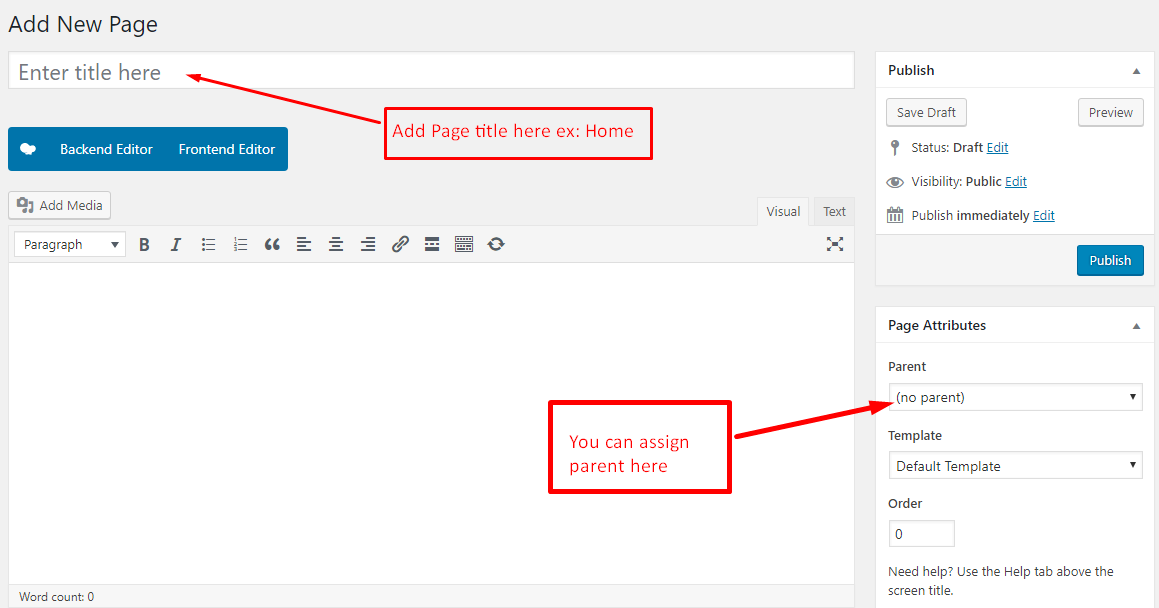
For Make new page you can check below image:
Page Meta Settings
On the bottom of each page there are meta settings boxes. Here you can configure the following:
Page Metabox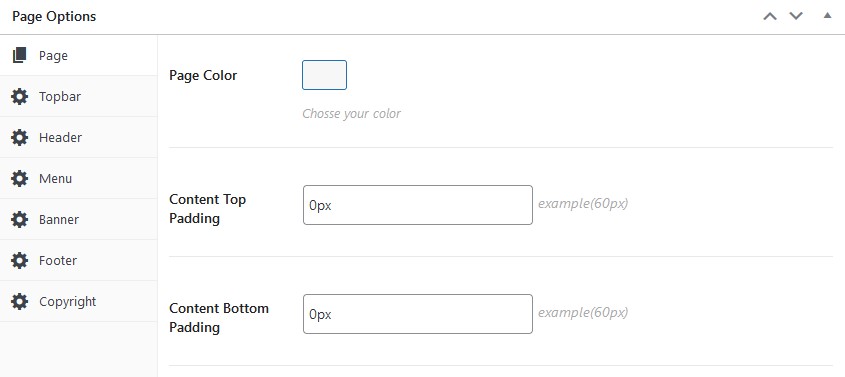
Setting up the menu
Navigate to Appearance > Menus and create your main menu. Inside the "Manage Locations" tab you can assign this menu.
Theme Options
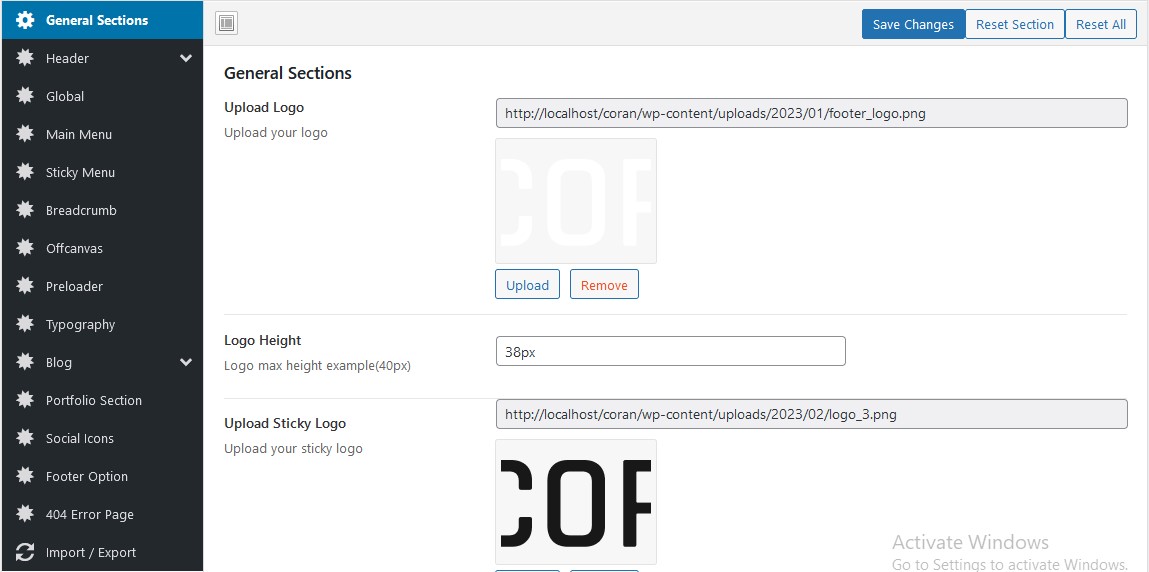
You can access the Theme Options panel by going to Navigate > Coran Options. Theme various options are organized into vertical tabs on the left side.
Support
Again Thanks for purchasing this theme. If you need any help or any questions, please contact directly from our themeforest account. Our support team always read to help you quickly.
Thanks!
TentaZ
Profile Link: https://themeforest.net/user/tentaz
Email: tentazltd@gmail.com